

In December 2016, Nanjing University joined the Eduroam Global Wireless Roaming Alliance. Since November 14, 2019, the university has been providing access to the Eduroam service (no application necessary) in two ways.
1. For visitors to NJU from member institutions
If your home institution has approved and subscribed to the Eduroam roaming service, you can search for the SSID wireless signal named “EDUROAM” and connect to it within the WiFi coverage of Nanjing University. (If the authentication page does not pop up automatically, try to log in via http://ep.nju.edu.cn.)
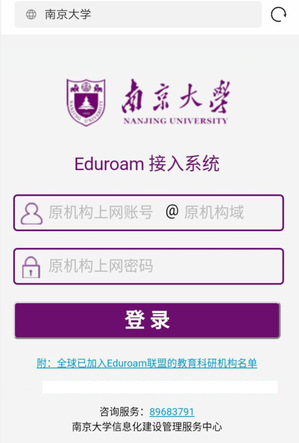
The account is your home institution’s network account (user name: your home institution’s network account @your home institution’s domain) and the password is your home institution’s network account password.
For example, if the network account of Jiangsu University is user01, you may get online by entering user01@ujs.edu.cn and the network account password.
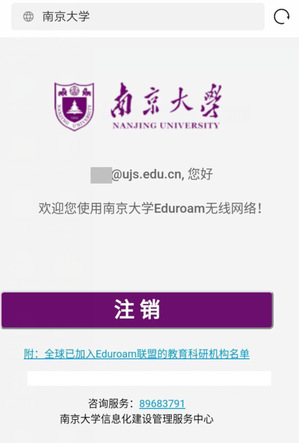
Note: Authentication is required when you login for the first time. If authentication succeeds, you may choose to login next time via the automated authentication in the Eduroam signal coverage area on NJU campus.
2. For NJU faculty, staff, and students
When you visit an institution with WiFi coverage, you can log onto an Eduroam wireless network (SSID), listed as EDUROAM, by using your NJU network account (user name: NJU network account@nju.edu.cn; passport: NJU network account password).
For specific instructions on accessing the Eduroam network, please contact the network management department of the institution you are visiting.