Method 1:
Recharge by WeChat:
1、Scan the QR code to follow i NJU Wechat Portal (i南大微信门户)

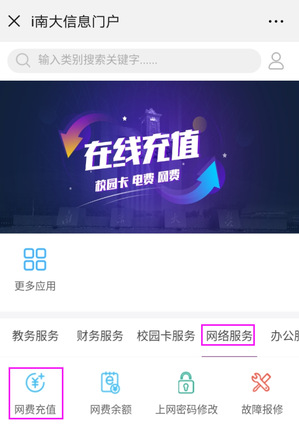
2、After binding the account through single sign-on, click 综合服务(“integrated service”).

3、Select 网络服务 (“web service”) -> 网费充值 (“Internet fee recharge”) to recharge the personal network account.
Method 2:
Recharge by Campus Card:
The user may use the campus card to recharge the network account with a self-service multimedia campus card machine: select “campus card services” -> “pay fees” -> “Internet Payment”. Then, you may recharge the network account, and the added fee will be received in real time.
Method 3:
Recharge by Fund Transfer
Teachers may pay fees for the Internet account, mailbox, or IP through fund transfer. You may take the following steps to recharge your account: first, at the system of the university’s finance department, transfer the fees to your account at the Information Center. Then, at the university’s office automation system (OA), submit your application for recharging the network fee, mailbox or IP account. Once the payment is recorded in the account, ITSC will transact your recharge applications on your behalf, and the recharge is completed with immediate effect.

