Information Technology Services Center provides a VPN client method for international faculty members and International Students with access to the campus resources from outside the university. The method is as follows:
VPN client method
Client software must be installed when you use it for the first time. That is, open the webpage of “https://vpn.nju.edu.cn” via off-campus broadband access, and install the client according to the prompts. (Note: This page cannot be opened via campus network. Please use it off campus)
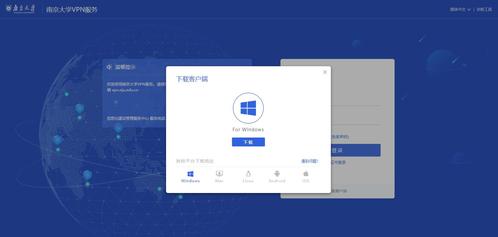
(Note: If the firewall asks for permission during the installation procedures, please select “Yes” (允许); your smartphone may prompt for some permissions, and please click to open according to the prompts)
If you need to have access to campus resources, please open the webpage “https://vpn.nju.edu.cn” and fill in the username and password as used in single sign-on authentication.
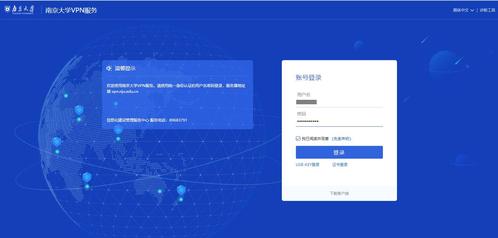
(If you double-click the client icon to open it, you need to fill in the server address “https://vpn.nju.edu.cn” for the first time)
After passing the authentication, you can see this icon in the lower right corner of the desktop:
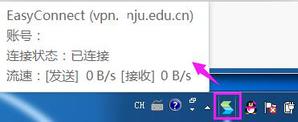
This means that your computer is connected to the campus network, and you can have access to any campus resources just as if you are on campus. (If you close the VPN page now, it will not affect your use of VPN services)
When you do not need to have access to campus resources, please click “Exit” (退出) or “Logout” (注销登录).

