

1、If the computer has a wireless connection to the Internet, select the NJU-WLAN signal, then open the browser, type “p.nju.edu.cn” in the address bar and press Enter. If the computer is connected to the Internet by wire, type “p.nju.edu.cn” directly in the address bar of the browser and press Enter.
2、The login page is displayed as follows:
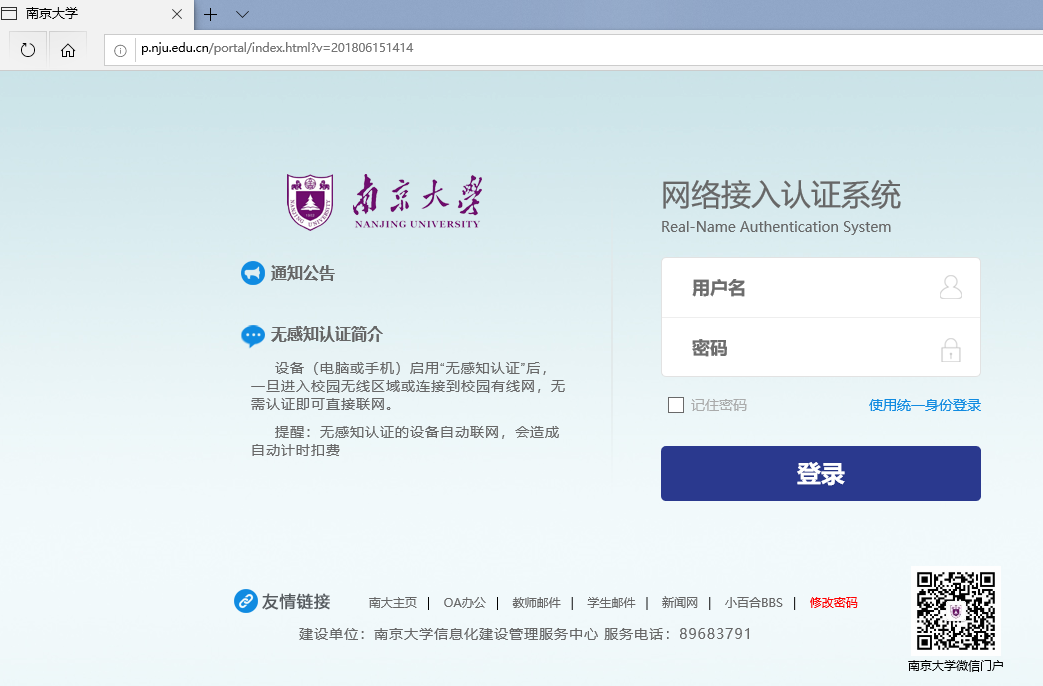
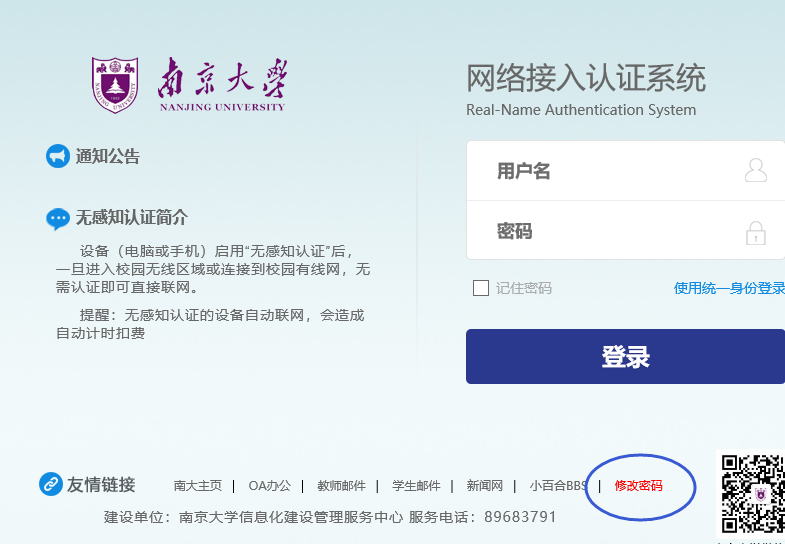
3、The user name for the first login is the payroll number or student number, and the initial password is passport number (case sensitive). The password needs to be changed for the first login. Please select 修改密码(“change passwords”) in the lower right corner of the page.
4、To change the password, enter the following one by one:
(1)enter the user name;
(2)enter the initial password;
(3)enter the new password;
(4)reenter the new password to verify it;
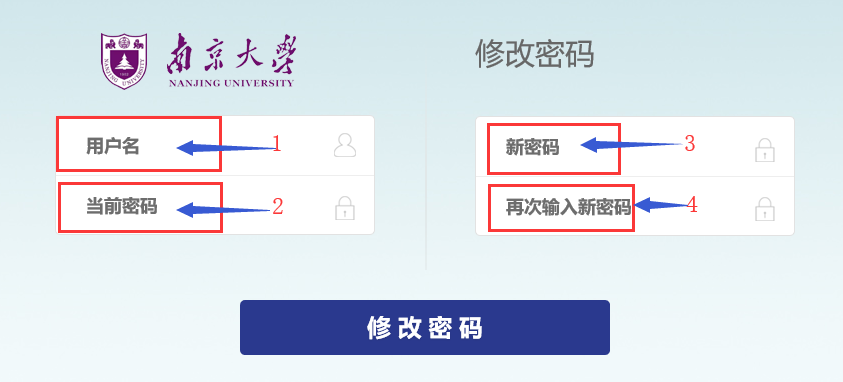
5、click 修改密码 (“change passwords”) to complete the process.